


Goal
You create your account and complete your company profile in the dashboard.
Requirements:
Business email address with mailbox access
Basic company information (company name, address, website)
Authorization to accept Klara AI’s Terms & Conditions and Privacy Policy
1. Start Registration
Open klara-ai.de.
Click “Sign Up for Free”.
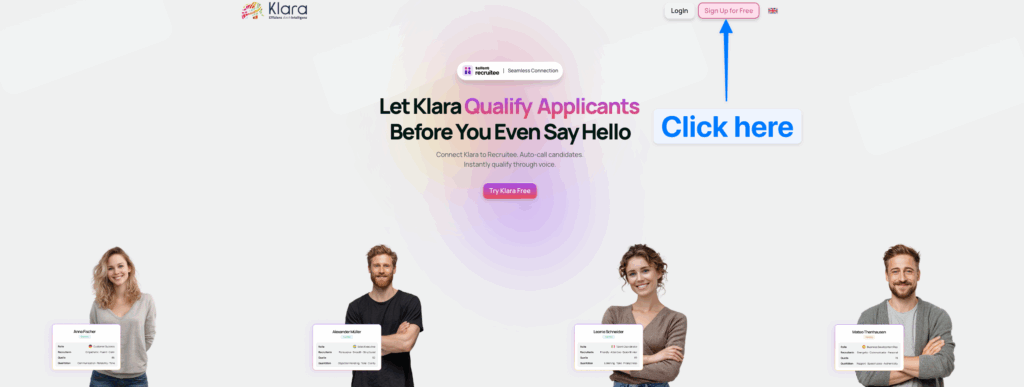
2. Create Account
Enter your personal details (first name, last name, business email, password).
Add your company details (company name, address, website).
Confirm the Terms & Conditions and Privacy Policy.
Click “Register Now”.
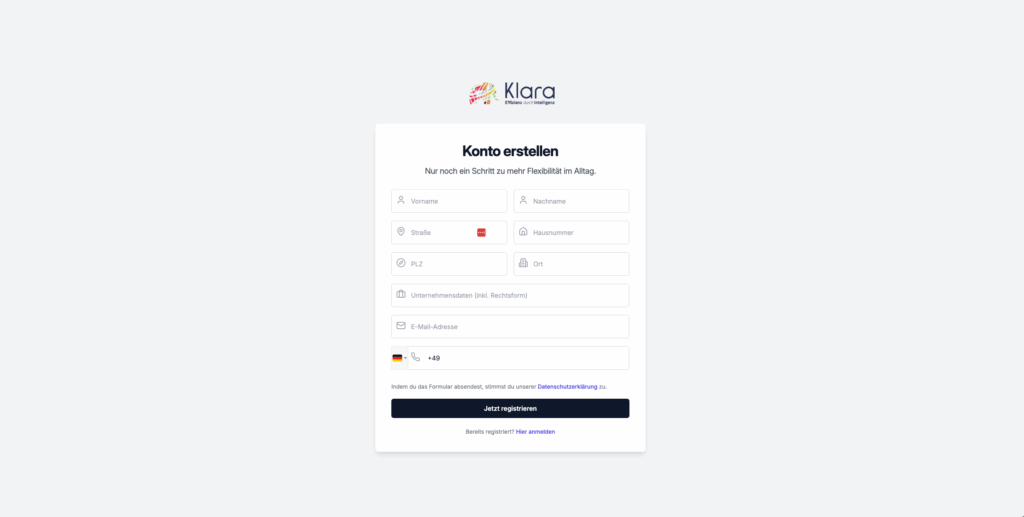
3. Confirm Email
Open the verification email sent to your address.
Click the verification link.
If no email arrived: check your spam/junk folder and, if necessary, select “Resend email.”
4. Registration in the Dashboard
Switch to the dashboard via the link in the email or via klara-ai.de > Login.
Log in with your email and password.
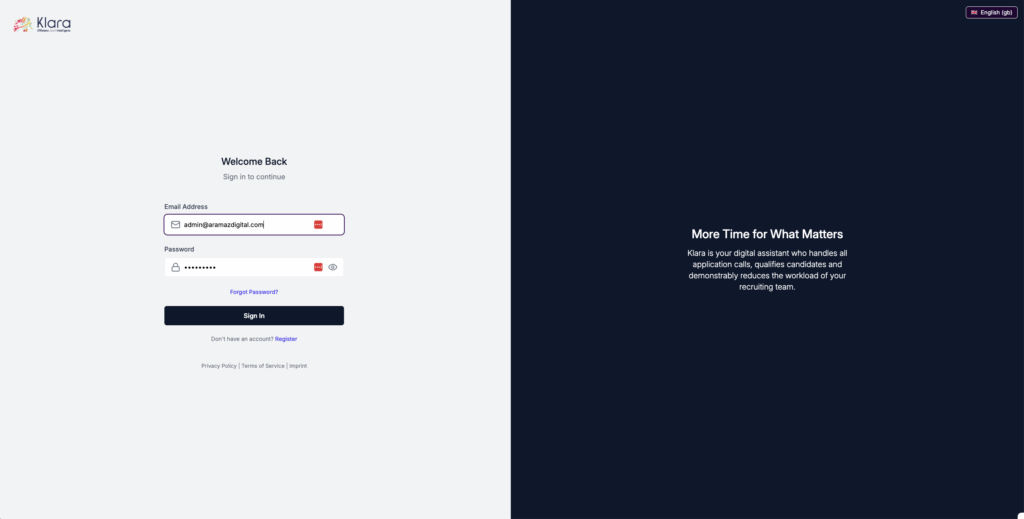
5. Complete Company Profile
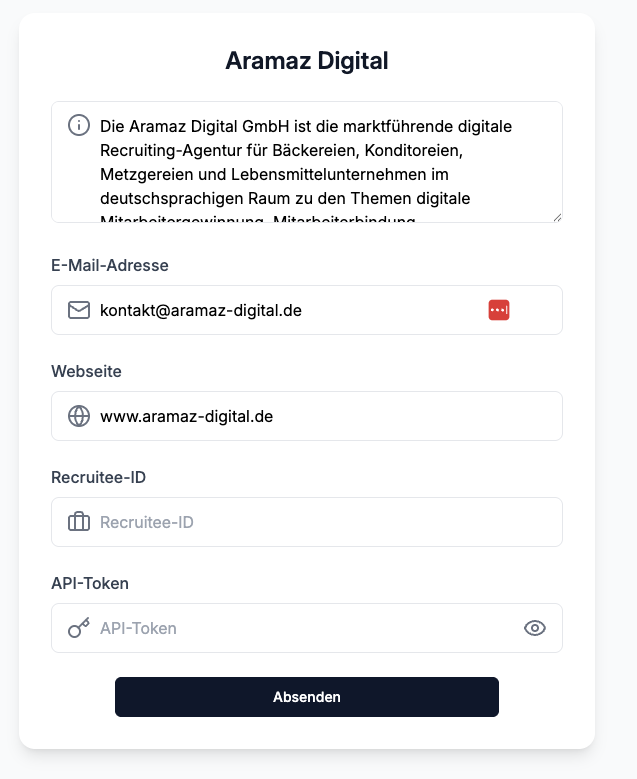
Go to Company → Profile.
Enter the following:
About Us text
Logo and contact details
Address and website
Click “Save.”
Frequently Asked Questions (FAQ)
I did not receive a verification email.
– Check your spam folder. Add the sender to your safe list. Use “Resend email.”
I cannot log in.
– Use the “Forgot Password” function and set a new password.
Where can I update company details later?
– Go to Company → Profile. Save your changes.
Troubleshooting & Support
Update your browser, clear the cache, and try again.
If the issue persists, contact Support with the time of occurrence, the exact error message, and a screenshot.